

Learn how to write the operations section of a business plan by avoiding 10 common mistakes small business owners make. Includes examples, templates, checklists, and practical guidance for trades, service-based, and other small businesses.
How often have I heard a business owner tell me, “My operations? They’re all in my head. I know everything that’s going on!” Too many times! Explaining the implications to them was truly eye-opening.
Know this – the operations section of a business plan isn’t just a formality. It’s the engine room. It explains how your business actually works day to day—how customer requests are handled, how jobs are scheduled, how quality is maintained, how materials are sourced, and how work gets finished and paid for.
Whether you run a plumbing or HVAC company, a renovation business, a small manufacturing shop, a cleaning service, or a professional service firm, this section helps lenders, partners, and even future employees understand that you’re not just “winging it.”
Learn How to Write the Operations Section of a Business Plan Efficiently
In this guide, you’ll learn how to write the operations section of a business plan by walking through 10 common mistakes many small business owners make—and how to avoid them.
Use it as a checklist, a reference, and a bit of a friendly nudge to get what’s in your head clearly onto the page. And, if you need help,
Mistake 1. Treating the Operations Section Like a Throwaway Paragraph
A lot of owners write one vague paragraph about “how we operate” and move on. That might feel easier in the moment, but it doesn’t give anyone confidence that your business can run smoothly, consistently, and profitably.

Your operations section should clearly explain things like:
- How work comes in
- How work is scheduled
- Who does what
- What tools and systems you use
- How materials or parts are sourced
- How you deliver the service or product
- How you make sure quality stays high
If the company overview section tells people who you are, the operations section of a business plan tells them how you actually make things happen.
👉 You can connect this section back to your overall plan using your main business plan guide:
8 Proven Steps on How to Write a Small Business Plan that Works
Mistake 2. Not Showing a Clear Workflow
Your business operations workflow should show how a customer or job moves through your business from start to finish. Without that, your operations section can feel abstract and incomplete.
When you describe your workflow, answer questions like:
- How do customers contact you—phone, website form, email, in-person?
- Who handles the initial inquiry?
- How is the job or order scheduled and assigned?
- What steps happen onsite or in-house?
- How do you document the work done?
- How do you invoice and follow up?
- Marketing strategy?
You don’t need a fancy diagram (though it helps), but you should be able to write it out step by step so someone outside the business can follow along.
Mistake 3. Leaving Out an Operations Section Business Plan Example
Most people understand better when they see a concrete example. Adding a short operations section business plan example makes it easier for a lender, advisor, or partner to picture how your business runs.
Here’s a simple example you can adapt for your own business plan:
Short Version Operations Section Business Plan Example

Business: Maple Ridge Plumbing
Typical Job Workflow:
- Customer calls, emails, or books through the website
- Dispatcher logs the job and assigns it to an available plumber
- Plumber reviews job notes, collects required tools and materials
- Plumber travels to site and completes the work
- Work details are logged into the job management system
- Invoice is created and sent the same day
- Customer receives a follow-up message and optional satisfaction survey
You can swap “plumbing” for HVAC, landscaping, renovations, cleaning—whatever fits your business. The key is to show how work flows, not just say “we complete jobs efficiently.”
Mistake 4. Not Defining Roles and Responsibilities
Another common mistake is writing, “We have four employees,” and leaving it at that. That doesn’t tell anyone how work is structured or who is responsible for what.
In your operations section of a business plan, describe roles such as:
- Owner / General Manager
- Operations Manager or Supervisor
- Lead Technician or Foreman
- Apprentice or Junior Staff
- Scheduler / Dispatcher / Office Admin
- Customer Service Representative
For each role, you can briefly describe:
- Main responsibilities
- Any required certifications or licenses
- Who they report to
- How performance is monitored
This shows that you’ve thought about capacity, accountability, and growth—not just “having people on payroll.”
How to Write the Operations Section of a Business Plan: Mistake 5. Ignoring Tools, Software, and Technology
Your business doesn’t just run on people; it runs on systems. Leaving out the tools, software, and technology you use is a missed opportunity to show how organized and efficient your operations really are.
Consider mentioning:
- Job management or dispatch software
- Scheduling tools
- CRM or customer database
- Inventory or materials tracking
- Accounting and invoicing software
- Communication tools (e.g., shared email, messaging, or video tools)
You can also reference key equipment that supports documentation and workflow, such as printers and storage devices.
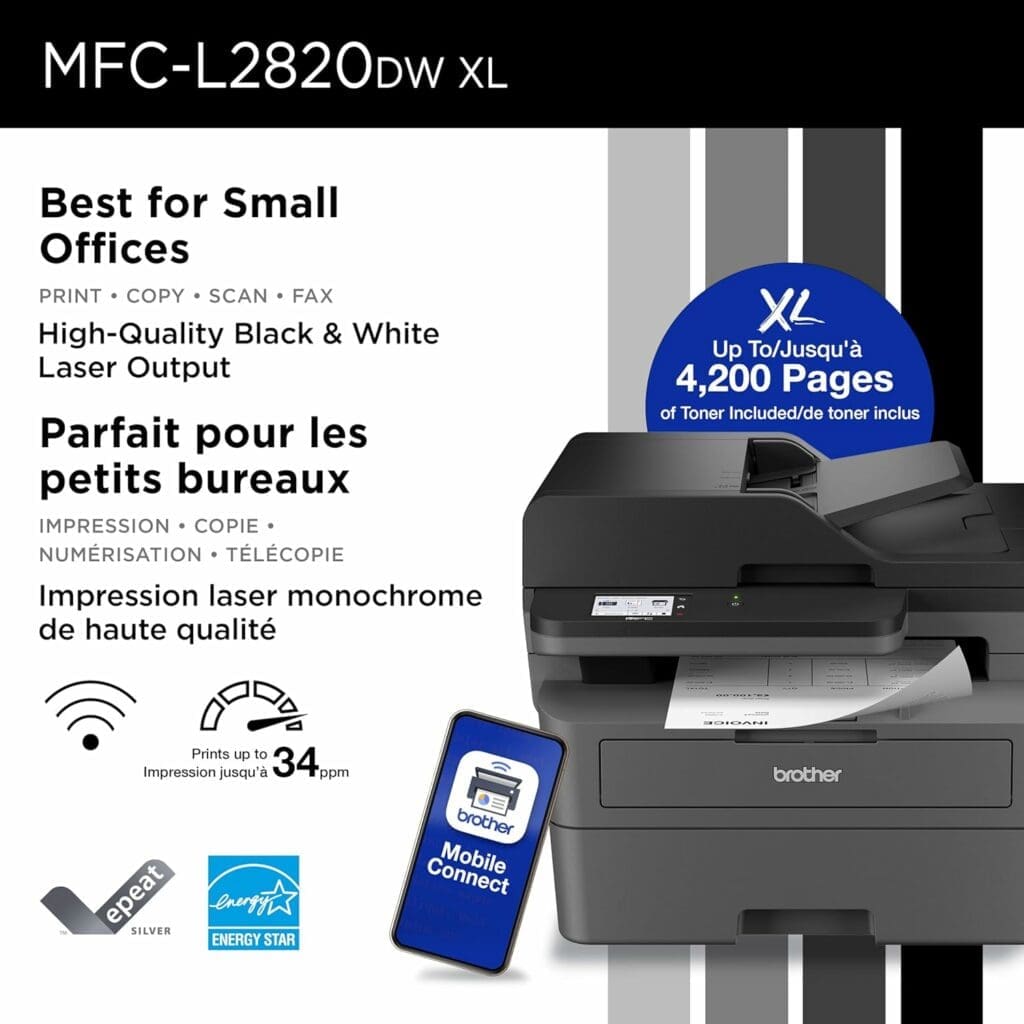
Helpful Tool Example: BROTHER-MFC-L2820DWXL Business Monochrome Multifunction Laser Printer
A reliable laser printer can be a core part of your operations—printing quotes, work orders, and job checklists quickly and clearly.
Include tools like this in your operations section so it’s clear how information and paperwork flow through the business.
Mistake 6. Not Including an Effective Business Operations Plan Template Overview
You don’t have to call it a “template” in your plan, but it helps to structure your operations section like an effective business operations plan template.
You can organize it into parts such as:
- Operations Summary – A short overview of how the business runs
- Workflow – Step-by-step description of how work moves through the business
- Key Resources – Tools, equipment, vehicles, software, and facilities
- Suppliers & Vendors – Who you rely on, and how those relationships work
- Staffing & Roles – Who does what, and how responsibilities are divided
- Policies & Procedures – How you ensure consistent work and service
- Quality Standards – How you measure and manage quality
- KPIs & Metrics – How you track performance and improvement
- Contingency & Backup Plans – How you handle disruptions or emergencies
Laying it out this way shows that you think like a process-focused owner and makes it easier for lenders and partners to assess how resilient and scalable your business really is.
Mistake 7. Forgetting Supplier and Vendor Details
Many businesses are heavily dependent on suppliers—for materials, inventory, parts, packaging, or specialized services. If those relationships are invisible in your operations section, there’s a big gap.

In your plan, briefly cover:
- Your primary suppliers (for materials, parts, or stock)
- Any backup suppliers you can turn to if needed
- Typical delivery times and minimum order requirements
- Payment terms (e.g., 30 days, 60 days, upfront)
- How you handle stockouts, delays, or sudden price changes
This isn’t just for show—it demonstrates that you understand your supply chain and have thought about what happens when things don’t go according to plan.
Mistake 8. Not Using a Business Operations Plan Checklist
A simple business operations plan checklist helps you quickly confirm that your operations section is complete and not missing something important.
Here’s a sample you can adapt:
Business Operations Plan Checklist
- ☐ Workflow clearly described from customer inquiry to final payment
- ☐ Staff roles and responsibilities defined
- ☐ Tools, software, and key equipment listed
- ☐ Main suppliers and backup options identified
- ☐ Customer experience and communication steps outlined
- ☐ Quality checks and standards documented
- ☐ Key performance indicators (KPIs) listed
- ☐ Procedures and standard operating processes referenced
- ☐ Contingency and backup plans included
You can keep this as your internal checklist or even turn it into a one-page document to review with your team.
Helpful Tool Example: Seagate 2TB Portable External Hard Drive
Storing your procedures, templates, checklists, photos, and job documentation in a secure backup location is a smart operational habit. An external drive can be part of your backup and documentation strategy.

Mentioning how you store and protect critical information can be a small but reassuring detail in your operations section.
Mistake 9. Not Outlining Quality Assurance and KPIs
Quality doesn’t just “happen.” It comes from consistent routines, clear expectations, and tracking what’s working (and what isn’t).
In your operations section of a business plan, you can briefly outline:
- How work is checked before completion
- When and how follow-ups happen with customers
- What happens when something goes wrong (rework, warranty work, complaints)
- How you collect feedback (reviews, surveys, after-service calls)
Then add a few KPIs (key performance indicators) you plan to monitor, such as:
- Response time to customer inquiries
- Time from booking to job completion
- First-time fix rate or rework rate
- On-time delivery percentage
- Customer satisfaction or review rating
This shows that you’re serious about not just doing work—but doing it well, consistently.
10. Not Explaining Steps to Create Business Plan Operations Section in The Writeup
If you’re feeling stuck, it can help to follow clear steps to create the business plan operations section instead of trying to write everything at once.
Here’s a simple order you can follow:
- Map your workflow – Write down how a job or order moves through your business
- List your roles – Identify who is involved in each stage of that workflow
- Identify tools and systems – Note what software, equipment, or tools support each step
- Document your suppliers – List the key relationships that keep you stocked and running
- Describe your customer experience – From first contact to final payment and follow-up
- Define quality standards – What “good” looks like and how you check for it
- Choose your KPIs – Decide what you’ll measure to keep operations on track
- Describe your backup plans – How you handle staff shortages, supply issues, or equipment breakdowns
- Create your checklist – Turn the above into a quick review tool for yourself
- Review for clarity – Ask yourself, “Could someone new understand how we operate from this section?”
Conclusion – Write the Operations Section of a Business Plan
Follow these steps and you’ll move from “everything is in my head” to “my operations are clearly defined on paper.” if you would much rather have professional help writing this all important section of your business plan:
FAQs for How to Write the Operations Section of a Business Plan
What should be included in the operations section of a business plan?
Include your workflow, staffing roles, tools and systems, suppliers, quality standards, KPIs, and how you deliver work to customers from start to finish.
How do I create an effective business operations plan template for my business plan?
Start by mapping your workflow, defining roles, listing tools and suppliers, describing quality controls, and adding KPIs. Then organize it into clear sections so someone outside the business can understand how you operate.
What is a good operations section business plan example?
A simple operations plan describes how a job flows from customer inquiry to completion, who handles each step, what tools are used, how materials are sourced, and how quality and follow-up are managed.
Why is the operations section important?
It shows how your business actually functions day to day, which helps lenders, partners, and even new hires trust that you can deliver work reliably and profitably.
REFERENCES
Cascade Team (2025): Operational Plan: Everything You Need To Know (2025 Guide) https://www.cascade.app/blog/operational-plan


Good article! I like how you focus on explaining the day‑to‑day workflow and roles instead of just saying “we operate.” That helps make your business plan clearer and more believable.
Thanks for the comment! Glad that you found the article helpful.