

Learn how to improve business processes using 9 effective tools for small businesses. Practical steps, real examples, and affordable solutions that work.
If you’ve ever ended a workday feeling exhausted but unsure what actually moved forward, you’re not alone.
Most small business owners don’t struggle because they lack effort. They struggle because work grows faster than structure. Tasks pile up, decisions get delayed, and systems become patchwork solutions held together by habit.
Learning how to improve business processes isn’t about turning your business into a corporate machine. It’s about removing friction. It’s about using the right tools at the right time — not adding complexity.
Let’s walk through nine effective tools and approaches that genuinely help small businesses operate with more clarity, consistency, and momentum.
What Is Process Improvement for Small Businesses?
Process improvement simply means making the way work gets done easier, clearer, and more reliable.
For small businesses, this usually involves:
- reducing wasted effort
- clarifying decision-making
- improving consistency
In one client conversation, the owner insisted nothing was “broken.” But when we mapped how customer orders moved through the business, we uncovered duplicated work and missed follow-ups. The issue wasn’t performance — it was lack of operational efficiency and structured process improvement.
Small businesses don’t need massive systems. They need focused clarity.
What Are Process Improvement Tools and Why Do They Matter?
So, what are process improvement tools?
They are structured methods, templates, or software that help analyze, simplify, and optimize workflows.
They matter because:
- They reduce guesswork
- They improve workflow optimization
- They strengthen business systems
Without tools, improvement becomes reactive. With tools, it becomes intentional.
Key Features of Process Improvement Tools That Actually Help
Not all tools are created equal. Some look impressive on a website but collapse under real-world pressure. The tools that actually help small businesses share specific, practical features.
1. Visual Clarity
A good tool makes work visible.
For example, a simple Kanban board (like Trello) allows tasks to move from “To Do” to “In Progress” to “Done.” This immediately exposes bottlenecks. If one column keeps filling up, you’ve found friction.
This improves workflow optimization and strengthens operational clarity because problems stop hiding.
2. Ownership Tracking
The best tools clearly show who is responsible for what.
In one service business I worked with, tasks were “assigned” verbally. When deadlines slipped, no one felt accountable. Moving to a shared digital task board eliminated ambiguity.
Tools that reinforce process consistency and reduce decision-making delays are the ones that create momentum.
3. Data Without Overwhelm
Strong tools give enough data to guide improvement — not drown you in dashboards.
For example, time-tracking tools like Toggl highlight where hours disappear. But they don’t demand constant data entry.
The goal isn’t surveillance. It’s insight.
Tools that improve process consistency and eliminate redundant tasks are usually the most valuable.
A tool that adds complexity defeats its own purpose.
How Do I Choose Process Improvement Tools for Small Business?
Choosing the right tools is less about features and more about fit.
Ask:
- Does this solve a recurring bottleneck?
- Will my team actually use it?
- Does it improve clarity?
Small businesses benefit most from tools that enhance operational clarity and support continuous improvement without overwhelming staff.
If the learning curve is steep, adoption will fail.
How to Implement Process Improvement Tools in My Business
Implementation fails when businesses move too fast.
Here’s a practical rollout approach:
- Identify one process
- Map current workflow
- Introduce the tool
- Train the team
- Review after 30 days
One retail owner implemented a shared workflow board to reduce missed inventory steps. Within weeks, errors dropped because visibility improved — not because people worked harder.
This strengthened workflow analysis and exposed hidden operational bottlenecks.
Affordable Process Improvement Tools That Deliver Results
You don’t need enterprise software to see progress.
Here are nine practical and affordable tools, grouped by function that consistently help small businesses. Each includes realistic pros and cons so readers can make informed decisions.
Affordable tools enhance productivity improvement and reduce manual processes without major investment.
1. Trello (Task & Workflow Management)
What it does:
A visual project management tool using boards and cards.
Best for:
Tracking workflows, hand-offs, and team visibility.
| Pros | Cons |
| Intuitive interface Free version is robust Easy collaboration Improves business systems | Can become cluttered without discipline Limited advanced reporting in free version |
2. Toggl Track (Time Visibility Tool)
What it does:
Tracks how time is spent across tasks and projects.
Best for:
Identifying inefficiencies and hidden time drains.
| Pros | Cons |
| Simple interface Quick setup Highlights operational bottlenecks | Requires consistent usage Can feel intrusive if poorly introduced |
3. Lucidchart (Process Mapping Tool)
What it does:
Creates flowcharts and process diagrams.
Best for:
Mapping workflows before changing them.
| Pros | Cons |
| Visual clarity Great for team discussions Improves process mapping | Can feel technical at first Not necessary for very simple operations |
4. Microsoft Planner (Task Structuring Tool)
What it does:
Task management within Microsoft 365.
Best for:
Businesses already using Microsoft tools.
| Pros | Cons |
| Seamless integration Clear ownership tracking Strengthens workflow analysis | Less flexible than Trello Requires Microsoft subscription |
5. Standard Operating Procedure (SOP) Templates
What it does:
Documents repeatable tasks clearly.
Best for:
Reducing reliance on memory.
| Pros | Cons |
| Improves process consistency Low cost Simple to implement | Must be maintained Over-documentation can create rigidity |
6. Google Workspace (Collaboration System)
What it does:
Shared documents, sheets, and drives.
Best for:
Real-time collaboration and document control.
| Pros | Cons |
| Accessible anywhere Easy sharing Supports resource optimization | Version confusion without structure Permissions must be managed carefully |
7. Visual Whiteboards (Physical or Digital)
What it does:
Makes workflows visible in meetings.
Best for:
Brainstorming and identifying friction.
| Pros | Cons |
| Extremely simple Encourages team involvement Reveals redundant tasks | Not permanent documentation Can become outdated quickly |
8. CRM Systems (Customer Relationship Management)
What it does:
Organizes client information and follow-ups.
Best for:
Sales process improvement.
| Pros | Cons |
| Prevents missed follow-ups Enhances business efficiency | Overkill for very small teams Setup requires discipline |
- Overkill for very small teams
- Setup requires discipline
9. Simple KPI Dashboards
What it does:
Tracks key performance indicators.
Best for:
Measuring process effectiveness.
| Pros | Cons |
| Encourages continuous improvement Provides accountability | Metrics must be meaningful Too many KPIs create noise |
Important Reminder
Tools don’t fix broken thinking.
If roles are unclear or goals are undefined, even the best tools won’t help. Tools support clarity — they don’t create it.
How to Improve Business Processes Without Overcomplicating Things
Many owners overcorrect by trying to fix everything.
Instead:
- Simplify first
- Automate second
- Expand last
Improvement should increase business efficiency, not paperwork.
Focus on reducing friction, not creating procedures for their own sake.
Common Mistakes Small Businesses Make When Improving Processes
Mistakes often include:
- Automating broken systems
- Ignoring employee input
- Over-documenting everything
- Choosing tools based on trends
One contractor invested heavily in software but never clarified job roles. The result? Faster confusion.
Tools support structure. They don’t replace it. This is where understanding value-added activities and eliminating waste reduction gaps becomes critical.
Putting It All Together: A Practical Process Improvement Plan
If you want a simple starting point:
- Identify one recurring frustration
- Map the workflow
- Remove one unnecessary step
- Clarify ownership
- Introduce one simple tool
- Review results in 30 days
Improvement works best when it’s incremental.
Remember: sustainable improvement beats dramatic overhaul.
Helpful Business Tools
- VIZ-PRO Magnetic Whiteboard Dry Erase Board, 36 x 24 Inches White Board – excellent for process mapping sessions
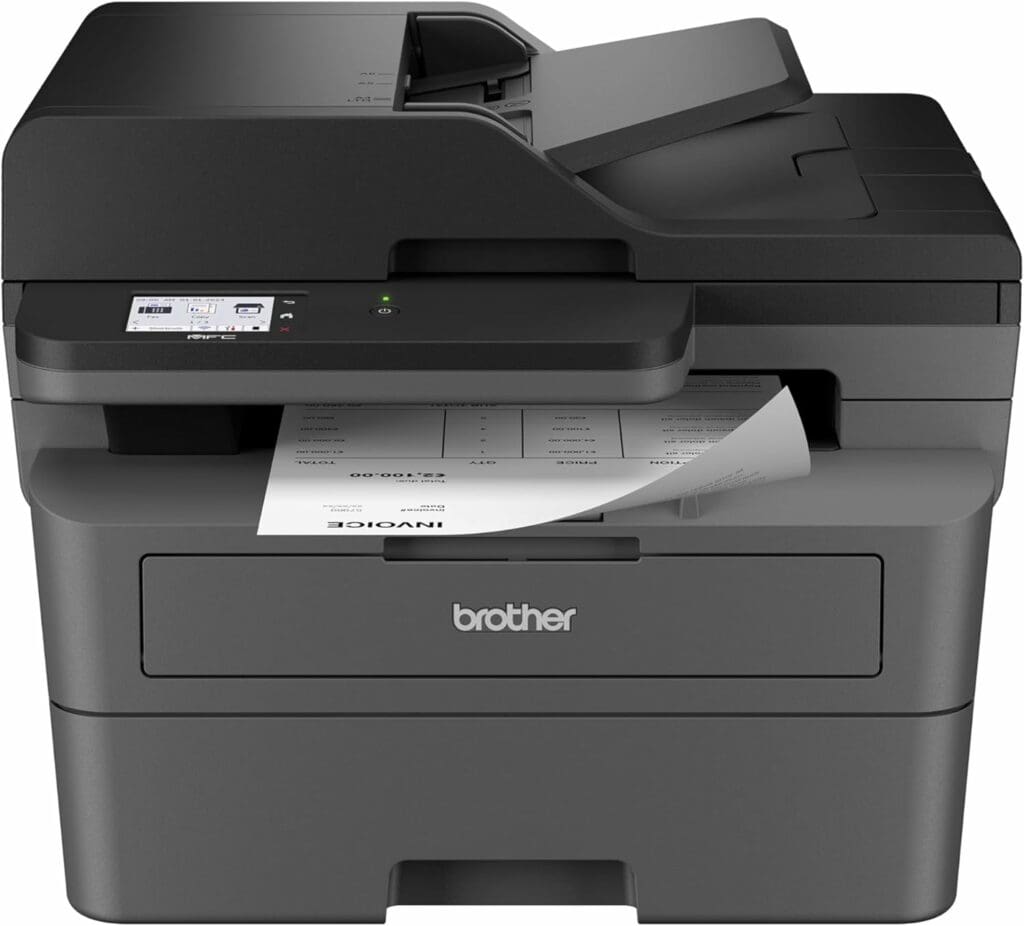
- Brother MFC-L2820DW Multifunction Wireless Monochrome Printer,with Scanner, Copy, Duplex Printing – reliable documentation and workflow support
- KADAMS Pomodoro Timer Visual – Productivity Pomodoro Cube, 5/10/25/50 Min Countdown & Countup, Silent – improves meeting discipline and process timing
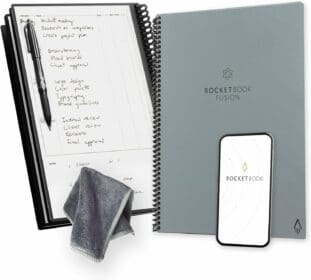
ROCKETBOOK Smart Reusable Notebook Wireless
Capture findings and action steps fast

VIZ-PRO Dry Erase Magnetic Board
Map workflows and bottlenecks visually
Each supports clearer decision-making processes and better resource optimization.
FAQs for How to Improve Business Processes
What is process improvement for small businesses?
It is the structured effort to simplify workflows, reduce inefficiencies, and improve consistency in how work gets done.
How do I improve business processes without new software?
Start by clarifying roles, simplifying steps, and eliminating duplicated effort before introducing tools.
What are affordable process improvement tools?
Tools like Trello, Toggl, Lucidchart, and Microsoft Planner provide strong value without enterprise-level costs.
How long does it take to see improvement?
Small process changes can produce measurable improvements within 30–60 days.
References
- Government of Canada – Small Business Resources: Funding and Resources at Your Fingertips. https://ised-isde.canada.ca/site/ised/en/supports-for-business
- U.S. Small Business Administration (SBA) – Manage Your Business https://www.sba.gov/business-guide/manage-your-business
Conclusion
Learning how to improve business processes isn’t about working harder — it’s about working clearer.
Start small. Fix one friction point. Introduce one effective tool. Measure what changes.
If you’re unsure where to begin, step back and ask:
What part of my business feels harder than it should?
That’s where improvement starts.
Feature Image Suggestion
Image: Small team reviewing workflow diagram on whiteboard
Alt text: how to improve business processes using effective tools in a small business


